
How Spies (and Your Brain) Break Big Problems Into Tiny Pieces
What You'll Learn
How to break down complex tasks into small, manageable steps — and how to write your very first lines of Python code to build a secret message encoder.

Part 1
The Spy Problem
Imagine you're a spy and you need to send a secret message to your partner. If anyone reads it, your mission is over. So you need to encode the message — scramble it so only someone who knows the trick can read it.
That sounds hard, right? Where do you even start?
Here's the secret that every spy, every programmer, every great problem-solver knows: don't try to do the whole thing at once. Break it into tiny pieces. Solve each piece. Then put them together.
This is called decomposition, and it's the most important thinking skill you'll ever learn.
You Already Do This
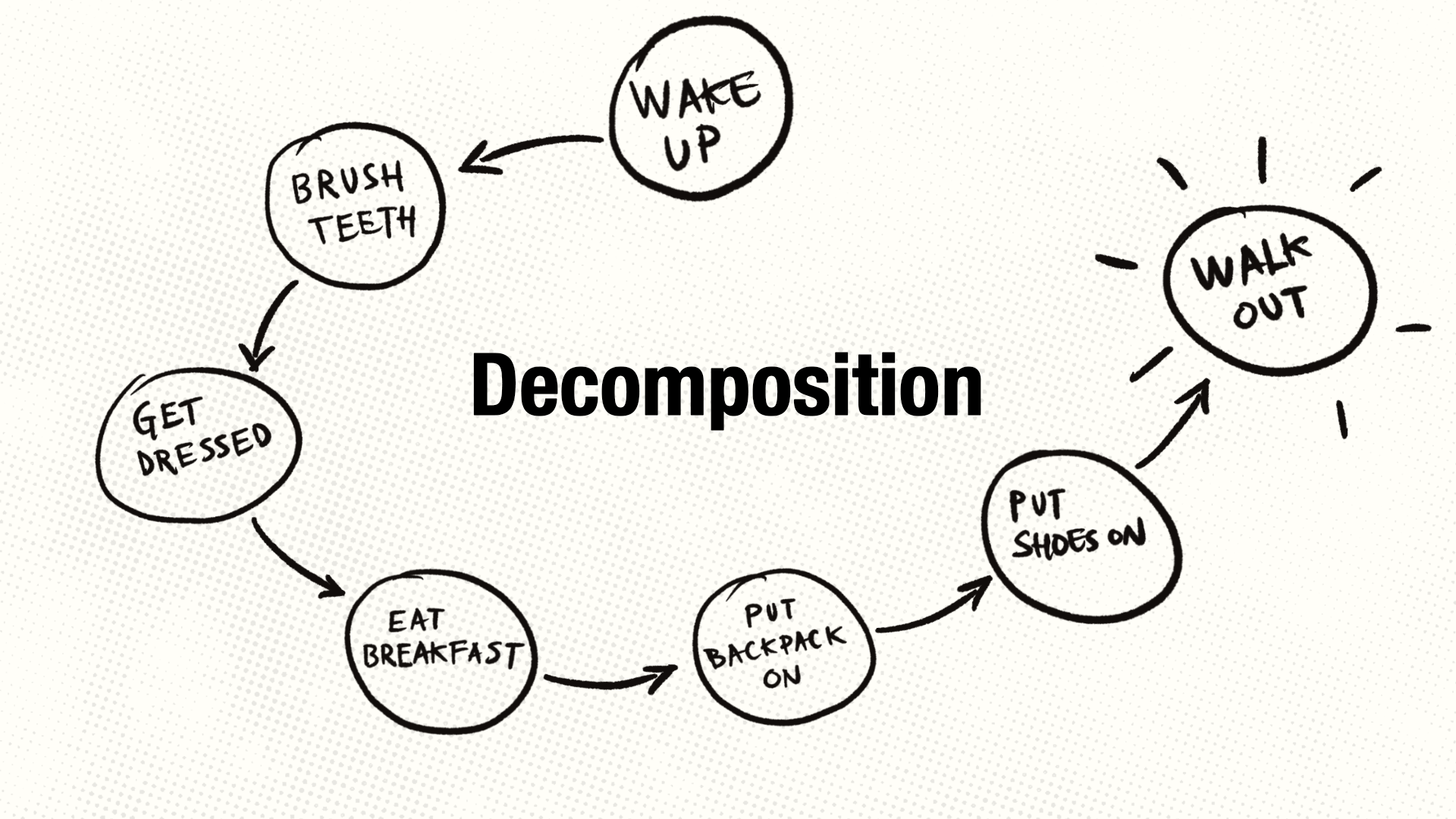
Think about how you get ready for school in the morning. You don't just "get ready" — you wake up, brush your teeth, get dressed, eat breakfast, pack your backpack, put your shoes on, and walk out the door. That's decomposition. You break "get ready" into seven smaller steps without even thinking about it.
Today we're going to use this same skill to build something cool: a program that turns ordinary messages into secret codes. But first, we need to learn how to talk to a computer.
Part 2
Talking to a Computer
A computer doesn't understand English. It understands code — specific instructions written in a very precise way. The language we'll use is called Python, and it's one of the most popular programming languages in the world.
Let's start with the simplest possible thing: telling the computer to display a message on the screen. In Python, you do that with a command called print().
Click the ▶ Run button below to see what happens:
You just ran your first line of code! Let's understand what happened:
What Just Happened
print() is a command — it tells the computer to display something on screen.
The text inside the quotation marks "Hello, World!" is what gets displayed.
The quotation marks tell Python: "this is text, not a command."
Now here's where it gets fun. That code up there? You can change it. Click inside the dark box, delete what's there, and type something different. Try making it say your name, like print("My name is Lena."). Then click Run again.
Go ahead: experiment. You can't break anything (as long as you don't accidentally delete the quotation marks or the parentheses — these are important for Python.).
Displaying Multiple Lines
You can use print() multiple times to display several lines. Each print() shows on a new line:
Try changing the agent name or the mission. Make it yours.
Part 3
Storing Information in Variables
So far we've just been displaying text directly. But what if you want the computer to remember something so you can use it later?
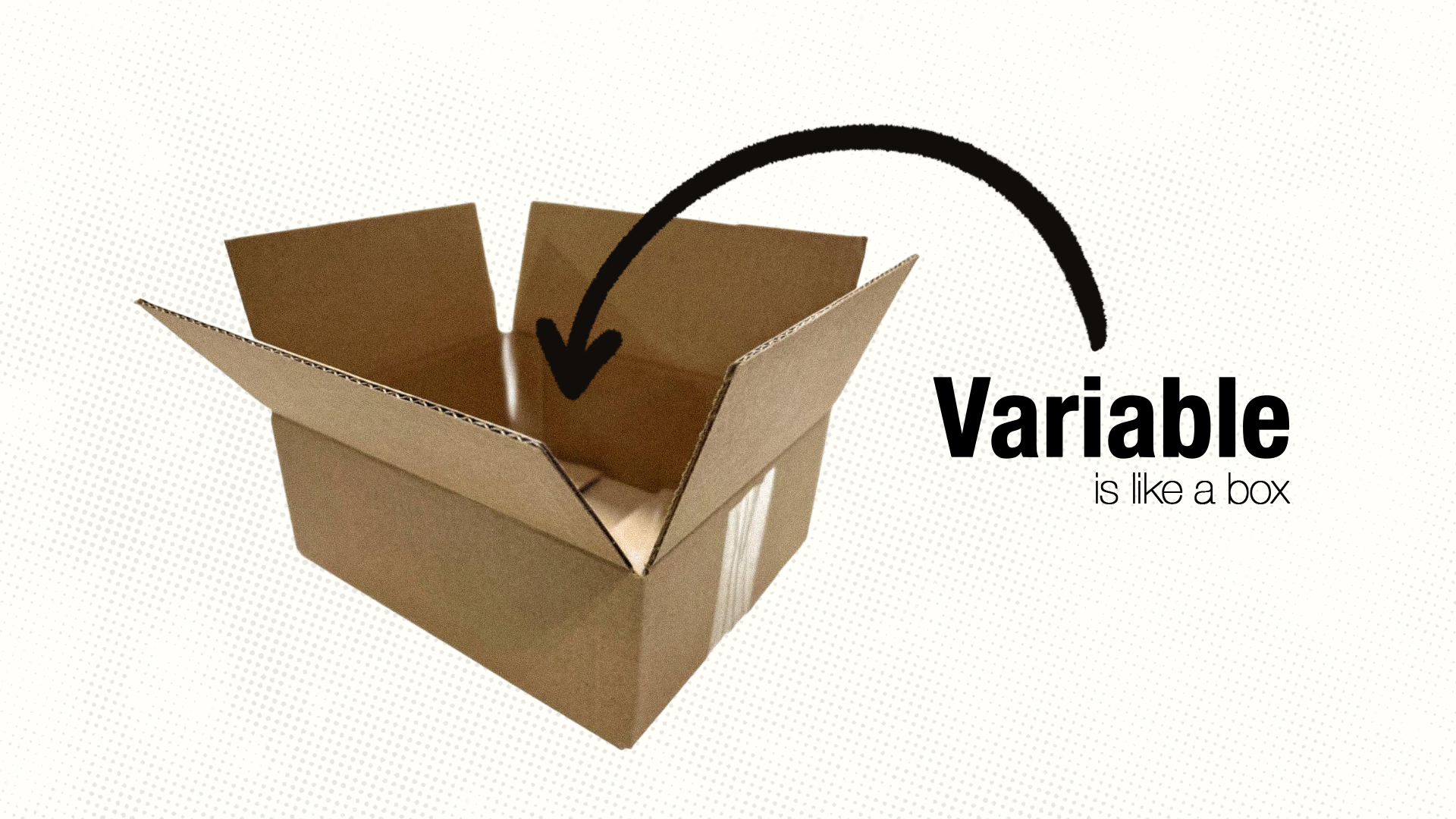
That's what variables are for. A variable is like a labeled box where you store information. You give the box a name, and you put something inside it.
What Just Happened
agent_name = "Shadow" creates a variable called agent_name and stores the text "Shadow" inside it.
Later, when we write print("Agent:", agent_name), Python looks inside the agent_name box and finds "Shadow".
Notice: the variable name has no quotation marks. That's how Python knows it's a variable (a box to look inside) and not just text to display.
The powerful thing about variables is that you can change what's inside them. Try changing "Shadow" to your own spy name and run it again.
Getting Input from the User
Right now, the spy name is written directly into the code. But what if we want the person running the program to choose their own spy name? Python has a command for that: input().
When you run this, a small popup will appear asking for your spy name. Type something in and click OK. The program then uses whatever you typed in the rest of the code.
What Just Happened
input("What is your spy name? ") shows a question and waits for the user to type something.
Whatever the user types gets stored in the variable agent_name.
The + sign joins text together. So "Welcome, Agent " + agent_name + "!" combines three pieces of text into one sentence.
Part 4
Text Is Made of Individual Letters
Now we know how to store and display text. But to build a secret code, we need to understand something deeper: text is made of individual characters, and Python lets you look at each one.
In Python, a piece of text (like "HELLO") is called a string. Think of a string as a row of small mailboxes, each holding one letter:
| H | E | L | L | O |
| 0 | 1 | 2 | 3 | 4 |
Each letter has a position number, starting from 0.
One important thing: computers start counting at 0, not 1. So the first letter is at position 0, the second at position 1, and so on. This is weird at first, but you'll get used to it.
What Just Happened
word[0] means "give me the character at position 0" — that's H.
word[4] gives us O, the last letter (remember, counting starts from 0).
len(word) tells us the length — how many characters are in the string. "HELLO" has 5 characters.
We can access any letter in a string by using its position number, together with the square brackets. For example, word[2] gives us the third letter in the string (remember, counting starts from 0, so word[2] gives us L).
Try changing "HELLO" to your own name and see what's at each position. What happens if you try a position number that's too high?
Part 5
The Alphabet Is a Number System
Things are about to get interesting.
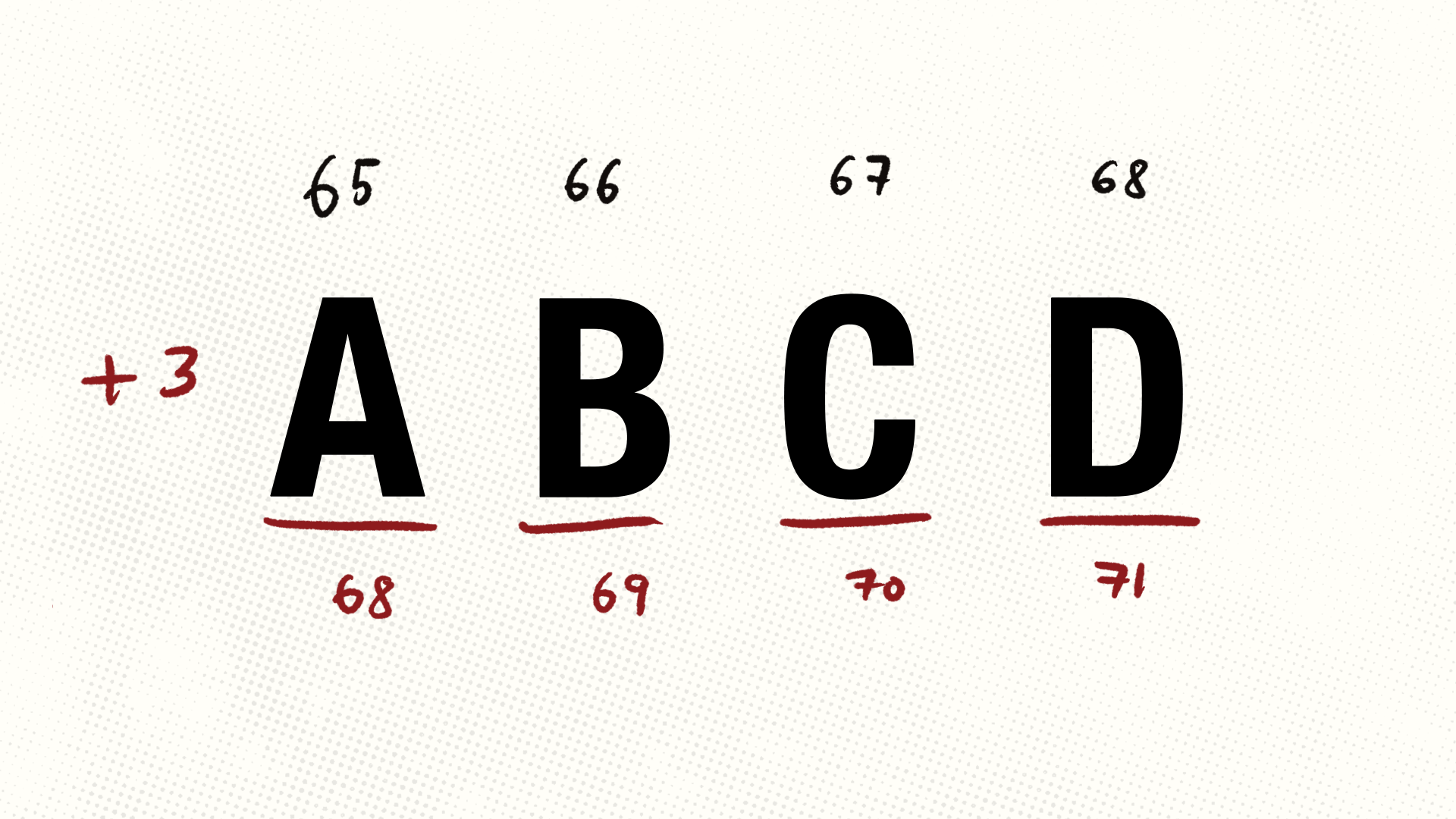
Inside the computer, every letter is secretly a number. The letter A is stored as 65, B as 66, C as 67, and so on. This system is called ASCII — it's the code computers use to represent letters. It stands for American Standard Code for Information Interchange.
Python gives us two commands to convert between letters and numbers: ord() and chr().
What Just Happened
ord("A") gives us 65 — that's A's secret number code.
chr(65) does the reverse — it takes the number 65 and gives us back the letter A.
Lines that start with # are comments — notes for humans. Python ignores them completely.
Go ahead and practice a bit. Find the codes for letters in your name.
Why does this matter for our secret code? Because if every letter is a number, we can do math with letters. For example, we can shift them forward. Or, we can scramble them. But most importantly, we can encode them.
Let's try — what if we take a letter and shift it forward by 3?
First, we'll define a variable called letter and give it some value (some letter).
Then, we'll get the number for that letter using ord(). We'll create another variable called number, and add 3 to it (we put this into another variable called shifted_number), and convert it back to a letter using chr().
A becomes D! If we shift every letter by 3, then B becomes E, C becomes F, and so on. This is the Caesar cipher — a secret code invented by Julius Caesar over 2,000 years ago to protect his military messages.
Try changing the letter to "H" or "M" and see what it becomes when shifted by 3.
Part 6
Decomposing Our Secret Code Machine
Now we have all the building blocks. It's time to use decomposition — breaking the big problem into steps — to build our complete secret code encoder.
Let's think like a spy. What does our encoder need to do?
The Plan — 5 Steps
Step 1: Get the secret message from the user
Step 2: Look at each letter, one at a time
Step 3: Shift each letter forward by 3 positions
Step 4: Collect all the shifted letters into a new message
Step 5: Display the encoded message
See? Five steps. Each one is something we already know how to do (or will learn right now). That's the power of decomposition — a scary problem becomes five friendly steps.
Step 1: Get the Message
We already know this — we use input():
New Thing
.upper() converts all letters to uppercase. We do this to keep things simple — our encoder will work with capital letters. Try typing "hello" and see it become "HELLO".
Steps 2–4: Process Each Letter
Now we need to look at each letter, one at a time, and shift it. When you need to repeat an action for each item in a collection, you use a for loop.
It's simpler than it sounds. Let's see it first:
What Just Happened
for letter in "SPY": means: "Go through each character in 'SPY'. Each time, store the current character in a variable called letter."
First time through, letter is "S". Second time, "P". Third time, "Y".
The indented line runs once for each letter. That indentation (the spaces before print) is how Python knows what belongs inside the loop. Without the indentation, the line would run only once, not once per letter. So, keep this in mind.
Now let's combine the loop with our letter-shifting trick:
What Just Happened
encoded = "" creates an empty string — an empty box we'll fill letter by letter.
if letter == " ": checks whether the current character is a space. We use == (two equals signs) to compare things. Spaces don't get encoded — they stay as spaces.
encoded = encoded + shifted adds each new shifted letter to the end of our encoded message, building it up one character at a time.
if checks a condition, and else means "in all other cases." We'll explore these much more in Lesson 3.
This is now a slighly longer and more complex piece of code. So, you have to be more careful about indentation and structure. Make sure all lines inside a loop are indented the same amount, and that each line of code is in the right place.
Here, you learn an important programming trick: you can create empty variables and fill them up little by little. This is how you build up a result when you don't know it in advance — like when you're encoding a message, or calculating a score, or keeping track of a total.
For example, if you wanted to count how many letters are in a message, you could start with count = 0 and then add 1 like this: count = count + 1 for each letter you see. This is a very common pattern in programming.
You also learn to check whether some things are true, like when you ask whether the message contains a space or a letter (answer this question: why is that important for encoding messages like this?).
Try it out with some other messages, like "WELCOME TO THE SECRET CODE CLUB" or "I AM A SPY". Play around a little bit before moving on to Part 7. Have some fun, make some encoded messages for your friends or family!
Part 7
The Complete Secret Code Machine
Time to put all five steps together. This is the payoff — your very own working secret message encoder:
Try encoding MEET ME AT NOON — it should become PHHW PH DW QRRQ.
New Thing · The Wrapping Trick
You might notice some new lines in this version. Here's what they do:
ord(letter) - ord("A") converts each letter to its position in the alphabet (A=0, B=1, … Z=25) instead of using the raw ASCII number.
(number + shift) % 26 is the wrapping trick. The % symbol means "remainder after division." This ensures that if we go past Z, we wrap back to A. So X (position 23) shifted by 3 gives 26, and 26 % 26 = 0, which is A.
elif means "else if" — another condition to check. letter.isalpha() checks if the character is a letter (not a number or punctuation).
Don't worry if you don't fully understand every line yet. The point of this lesson is decomposition — and you just used it to build a working program.
Part 8
What You Just Did
Let's step back. You started with a vague, scary problem — "build a secret message encoder" — and you solved it by breaking it into five clear steps:
- Get the message
- Look at each letter
- Shift each letter forward
- Collect the results
- Display the encoded message
Each step was manageable. Each step built on the one before it. And together, they created something genuinely useful — something you can use to send secret messages to your friends.
That's decomposition.
The Big Idea
The next time you face a big, confusing problem — in code, in school, in life — ask yourself: "What are all the steps I need?" Break it down. Tackle one step at a time.
Thinking Questions
Talk these over with someone, or think about them for a bit:
- How did breaking the problem into steps make it less scary?
- What would have happened if we tried to write the whole program at once?
- Can you think of a real-life problem you could decompose? (A big homework project? Planning a party? Learning a new skill?)
Challenges
Level Up
If you want to push further, try these. Each one requires decomposition — plan your steps before writing any code.
Challenge 1 · Change the Shift
Modify the encoder so the user can choose how much to shift by, instead of always using 3. Hint: add another input() and use int() to convert text to a number.
Challenge 2 · Build a Decoder
Create a program that decodes messages by shifting backwards. If your friend gets PHHW PH DW QRRQ, they should be able to decode it back to MEET ME AT NOON.
Challenge 3 · Number Code
Replace each letter with its position: A=1, B=2, C=3. So "HI" becomes "8 9". Decompose this first — what are the steps?
Summary
What You Learned
Thinking Skill
Decomposition — breaking a big problem into smaller, manageable steps. Always ask: "What are all the steps I need?"
Python Concepts
print() — display text on screen
Variables — storing information: name = "Shadow"
input() — get text from the user
Strings — text is made of characters, accessed by position: word[0]
ord() and chr() — convert between letters and numbers
for loops — repeat an action for each item
if / elif / else — make decisions